



Agentic AI for Engineering Teams
Agentic AI for MATLAB and Simulink
Connect AI coding agents to MATLAB and Simulink to accelerate engineering workflows. Your team gets validated tool access, simulation-driven iteration, and a defined path from prototype to production.
Why Teams Make the Switch
5 Supported AI agents, including Claude Code, GitHub Copilot, and Gemini CLI
1 Open standard (MCP) connecting your agent to MATLAB and Simulink — no proprietary lock-in
0 Rewrites needed to move a validated function from desktop to production server
SUPPORTING ENGINEERING TEAMS ACROSS INDUSTRIES
Automotive Aerospace & Defense Industrial Automation Energy & Utilities Medical Devices Semiconductors
Why It’s Different
Engineering Precision, Powered by AI
Standard AI tools can execute code, but they can’t verify the complex mathematics behind it. In engineering, guessing isn’t an option. By giving your AI agents direct, governed access to MATLAB and Simulink, you eliminate the guesswork. Every technical recommendation is automatically simulated and verified against real-world physics and engineering standards before it ever reaches your team for final review.
Uses the tools your engineers already trust
The agent calls the same MATLAB and Simulink functions your team uses every day for things like signal processing and control design, instead of guessing how they should work.
Tested against real simulations
Every change the agent suggests runs through your actual Simulink models, so you can see how it performs in a real simulation, not just whether the code runs without errors.
Built-in engineering know-how
Pre-built skill packages teach the agent how engineers actually write MATLAB code, so the first version it produces is already close to what your team would write.
From one laptop to the whole team
Code that works on one engineer’s computer can be deployed to MATLAB Production Server so the rest of the team can use it too, without anyone having to rebuild it.
Works with the AI tool you already use
Connects to whichever AI coding assistant your team already has, like Claude Code or GitHub Copilot, so you don’t have to switch tools to get this benefit.
The Workflow
How agentic AI works inside MATLAB and Simulink
The agent moves the work forward. You stay in control of every step.
1
Define the goal
Set the task, the constraints, and the definition of done.
2
Agent proposes code
Your AI coding agent drafts an approach using MATLAB or Simulink tools.
3
Simulation runs
The proposal executes against real toolboxes and models — not a guess.
4
You review & approve
Results return to the agent to iterate, and to you for final sign-off.
Webinar: From Design to Deployment: The AI-Powered Engineering Workflow
This 2-part webinar series looks at how generative and agentic AI are changing Model-Based Design, from accelerating everyday engineering work in Part 1, to the next step for control engineering in Part 2.
 Register Here
Articles and Guides
Guide to Agentic AI with MATLAB and Simulink
This guide demonstrates how agentic AI enables large language models to autonomously write, execute, and debug MATLAB and Simulink workflows — moving beyond manual copy-paste into fully automated engineering pipelines. It introduces the Model Context Protocol (MCP) as the connectivity standard between AI agents and MATLAB, along with two purpose-built toolkits covering everything from code execution to Model-Based Design and simulation verification. Practical implementation patterns and safety best practices are included to help engineering teams deploy reliable, human-supervised AI agents with confidence.
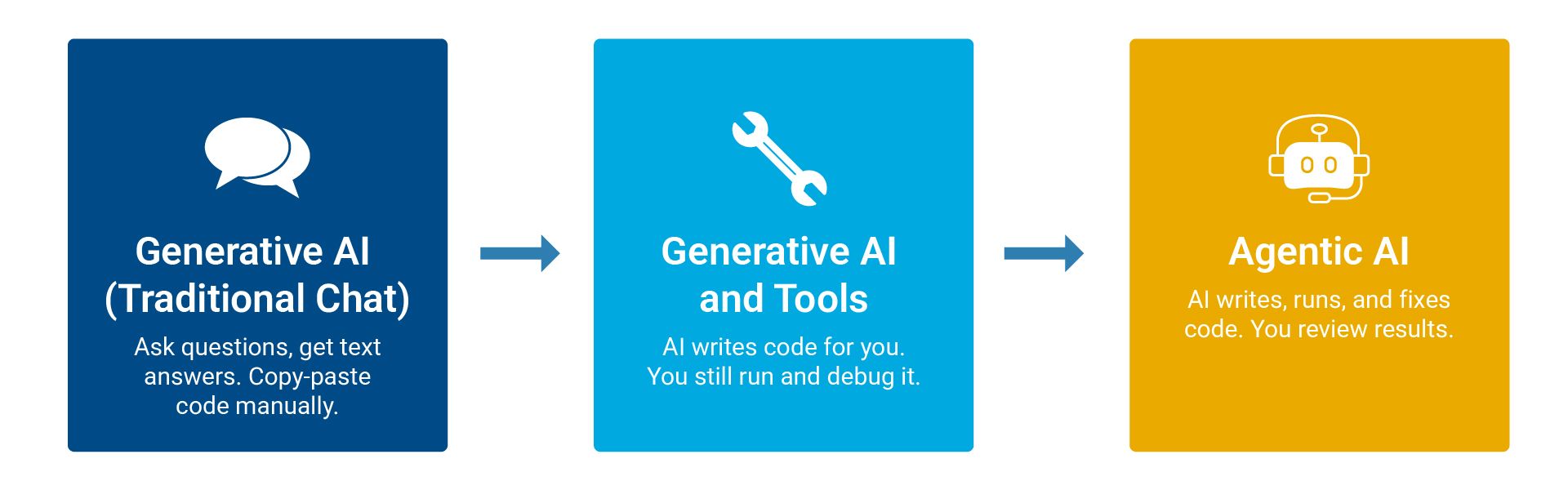
Giving Local AI Agents the ability to use MATLAB with MCP
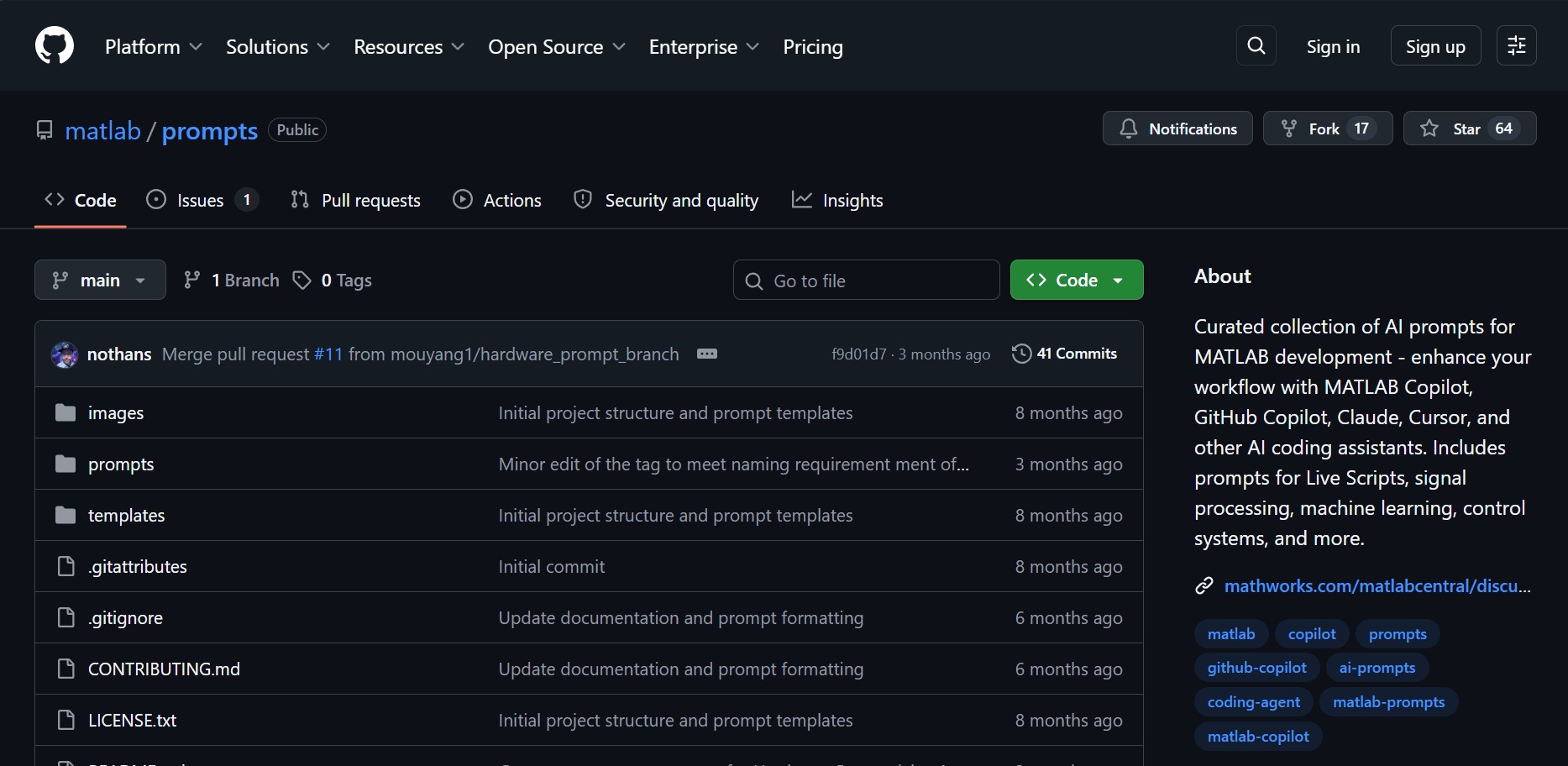
This open-source GitHub repository provides a curated collection of ready-to-use prompts designed to enhance MATLAB development workflows across a range of leading AI coding assistants. Organized across domain-specific categories — spanning Live Scripts, signal processing, machine learning, control systems, image processing, and code generation — the prompts are structured to be easily customized and immediately deployable. Engineering teams seeking to accelerate MATLAB development through AI assistance will find this a practical, community-driven resource for standardizing and scaling AI-augmented workflows.
Technical Support and Consultation
If you have any questions, you may contact us through our official channels as we may assist you with your inquiry.

Compatible Today
Works with the agent you already use
Connected through the Model Context Protocol (MCP), an open standard rather than a proprietary integration.
Claude Code GitHub Copilot Gemini CLI Codex Amp + any MCP-capable agent
The Stack
The toolkits that make it work
Each piece handles a different layer, from getting an agent talking to MATLAB at all, to deploying tested functions for an entire team.
MATLAB Agentic Toolkit Open Source
Sets up the MCP server automatically and ships curated agent skills, so your agent writes MATLAB the way your team already does.
Simulink Agentic Toolkit
Extends the same agentic workflow into Model-Based Design, with Simulink-specific tools and skills for designing, debugging, and testing models.
Polyspace Agentic Toolkit
Gives an agent the context to run Polyspace-as-you-code and Polyspace Test workflows directly against C/C++ source.
MATLAB MCP Core Server
The foundation layer — lets any MCP-capable agent write, execute, test, and analyze MATLAB code in a live session.
MCP Framework for Production Server
Publishes MATLAB functions as governed, encrypted MCP tools for multi-user enterprise use — calling clients don’t need their own MATLAB license.
MATLAB MCP Client
Lets MATLAB act as the orchestrator, calling out to external MCP tools, APIs, and services for multi-tool agentic workflows.
Terminal in MATLAB
Puts a command-line AI agent directly inside the MATLAB desktop, no separate window required.
Common Questions
Frequently asked questions
Is the MATLAB Agentic Toolkit free to use?
Yes. The MATLAB Agentic Toolkit is free and open source. It still requires a valid MATLAB installation and license to run the code it generates.
Which AI coding agents are supported?
Claude Code, GitHub Copilot, Gemini CLI, Codex, Amp, and any other agent that supports the Model Context Protocol (MCP).
Do we still need MATLAB and Simulink licenses?
Yes. These toolkits connect an AI agent to your existing MATLAB and Simulink installation; they don’t replace the underlying product license. We can help size the right licensing for your team.
Can this run inside a secured or on-premises environment?
The MCP Core Server runs locally against your own MATLAB session, so it operates within standard on-premises and secured network setups. Talk to us about your specific environment and constraints.
Contact Us
If you have an inquiry, contact us
Contact Us