Discover What’s New
| Get more out of MATLAB and Simulink by downloading the latest release. >> Contact us |
|

R2026a
New Products
-
Simulink Copilot – AI assistant optimized for Simulink.
- MATLAB Course Designer – Create courses, courseware, labs, and assessments using MATLAB and Simulink.
- Polyspace as You Code – Identify coding standard violations and software vulnerabilities from your IDE.
- Polyspace Copilot – AI assistant optimized for Polyspace.
- Raspberry Pi Blockset – Design, simulate, and deploy applications for Raspberry Pi.
- Simulink FMU Builder – Create standalone FMUs from Simulink models and C/C++ code.
- STM32 Microcontroller Blockset – Design, simulate, and implement applications for STMicroelectronics STM32 microcontrollers.
- Wireless Network Toolbox – Model, simulate, analyze, and visualize wireless communication networks.
Major Updates
- Econometrics Toolbox – Apply enhancements from the Econometric Modeler app for filtering, simulation, forecasting, and visualization; leverage advanced panel data regression and Bayesian modeling for comprehensive analysis.
- Mapping Toolbox – Enhance geospatial capabilities with 3D building visualization, image overlays, and raster maps.
- MATLAB Test – Generate starter tests, equivalence tests, and tests from your command history; generate tests using MATLAB Copilot; save time by running only the tests related to your current file.
- Polyspace Bug Finder – Configure and review Polyspace projects faster with the new desktop app, shared with Polyspace Test; extend coding rules checking with custom checkers and full MISRA™ C/C++ 2023 support.
- Polyspace Test – Integrate Bug Finder, Code Prover, and Requirements Toolbox with Polyspace Test; use Python® API for test creation and execution; generate AUTOSAR-aware stubs for testing of functions.
- RF PCB Toolbox – Analyze complex PCBs: import ODB++ databases, perform finite element and DC electromagnetic analysis, and integrate components in RF Blockset for wireless system simulation.
- RF Toolbox – Use the Idealized Baseband Library to model RF components (amplifiers, filters, S-parameters, and mixers) in MATLAB and simulate end-to-end wireless communications and radar systems.
- Signal Processing Toolbox – Design and analyze digital filters with the new Filter Designer and Filter Analyzer apps; label time-frequency maps with Signal Labeler; extract features interactively with Signal Feature Extractor.
- Simulink Real-Time – Perform HIL tests on Speedgoat hardware running the new Linux based RTOS; apply enhanced instrumentation, including dynamic data logging and improved external APIs.
Release Resources
- Release Notes
- License-Related Changes
- Software Maintenance Service
- System Requirements
- Previous Releases
Release Highlights
|
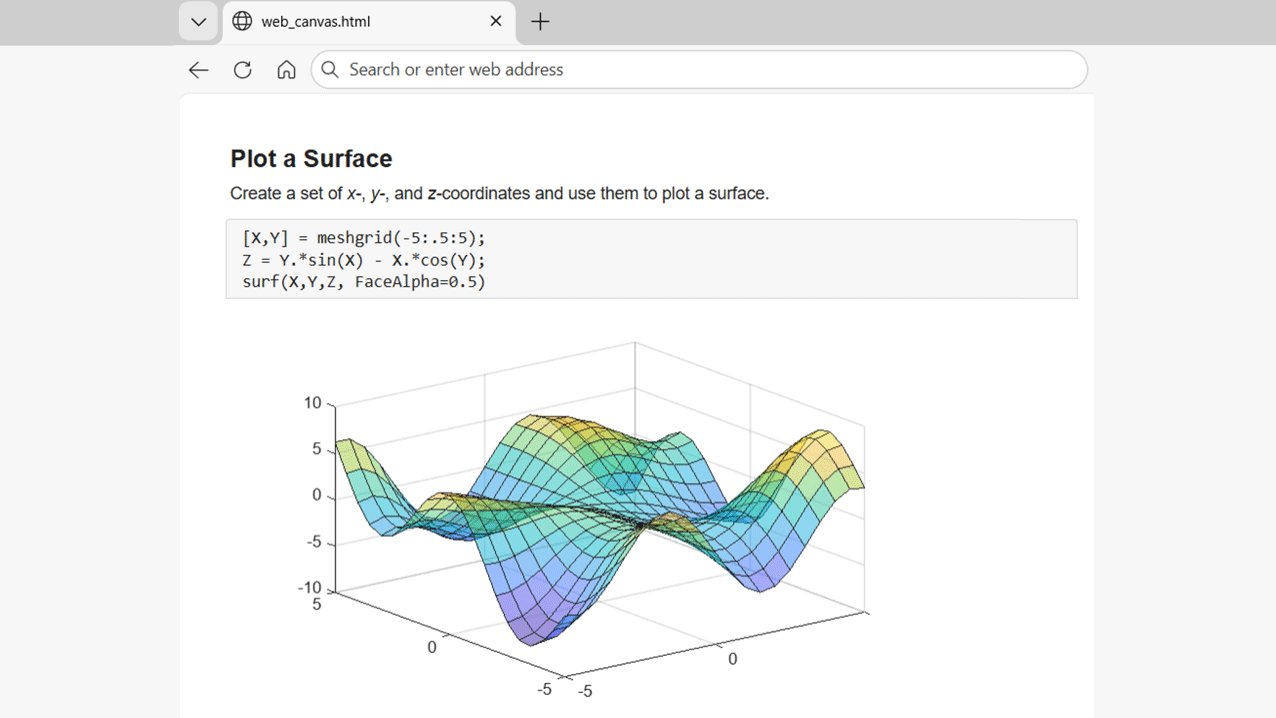
Create webpages with interactive graphics that do not require MATLAB. |
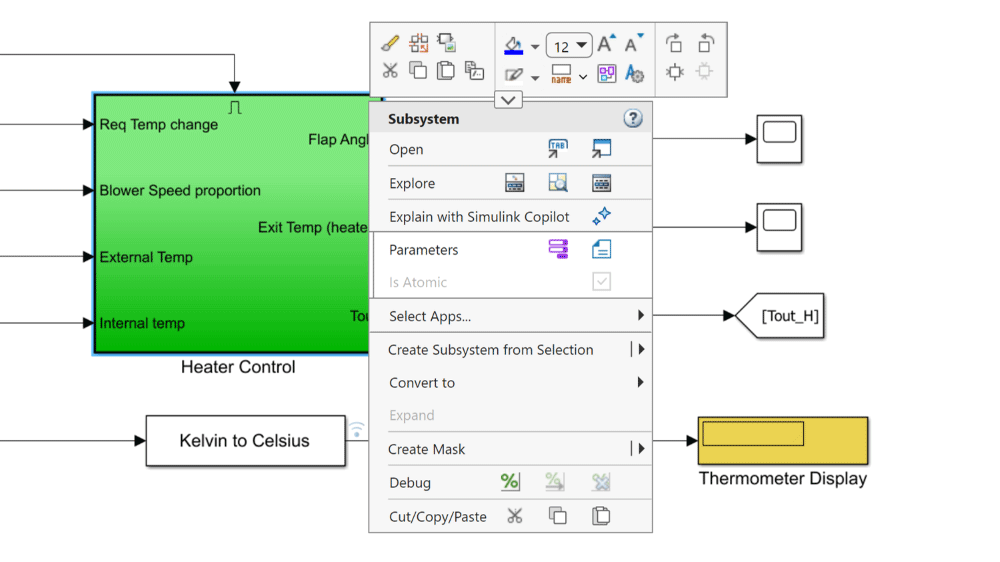
Access actions from a simplified context menu that prioritizes frequently used functionality. |
|
|
MATLAB
|
Simulink
|